

Agentforce Coworker hits 185k users: write your Skills catalog before Teams GA
On 4 November Salesforce said Agentforce Coworker has more than 185,000 users and usage grew 21x in three months. Teams, desktop and mobile land this November. Here's the Skills and approval catalog I'd write before every employee can delegate from chat.
On Tuesday, 4 November, Salesforce published a major expansion of Agentforce Coworker. More than 185,000 users are already on it. Usage grew 21 times in three months. Named customers include The Adecco Group, Fulton Bank and BACA Systems. And this month Coworker lands in Microsoft Teams, plus new iOS, Mac and Windows apps.
That's the news. The decision is what I'd write before it does. Coworker is built so an employee can hand it a job in the tools they already use. If you don't decide which Skills are approved, which actions need a human before they run, and who can turn Coworker on, every employee becomes an agent orchestrator with no catalog.
What Salesforce actually announced
Here's what the post says:
- What Coworker is. Salesforce's AI teammate that helps employees delegate business work using Salesforce context. It plans steps, coordinates Agentforce agents and workflows, and brings back results and recommended actions for review.
- James Nakashima, SVP Product Management: "The next era of enterprise AI isn’t about giving users more agents to manage… It’s about giving them one Coworker that brings the right agents together to get work done…"
- What's available now. Google Workspace and Microsoft 365 connectivity; Conversation History; Skills; a $50 per-user, per-month SKU.
- Generally available in November 2026. Coworker in Microsoft Teams; iOS, Mac and Windows apps; a Coworker MCP server; a free trial for Flex Credits customers.
- Expected in December. Daily Digest; scheduled tasks; Coworker in the Field Service, Consumer Goods Cloud and Life Sciences Cloud mobile apps.
- Customer traction. Fulton Bank: more than 20 production use cases supporting roughly 3,000 users. Adecco is expanding across 40 countries. BACA enabled it in an environment with 1,300 custom objects and used it for answers that previously took 45–60 minutes of swivel-chairing between screens.
- Governance claim. Coworker operates within Salesforce security and governance: employee permissions, sharing rules and configured access. Organizations can manage access to agents and actions, with approval and audit for supported operations.
Pricing and packaging are subject to change, and Salesforce flags that some items are still in development. Base your plan on what's shipped in your org, not the roadmap slide.
What Skills and Conversation History change
Two pieces of the announcement matter more for architects than the user count.
Skills. A proven workflow becomes a one-line request anyone on the team can run. Salesforce's example is a top rep's renewal playbook becoming how the whole team runs renewals. That's powerful. It's also a catalog problem. If anyone can turn a personal habit into a Skill, you've invented a second process library next to the one in Flow and your playbooks — and you won't know which one people are actually using.
Conversation History. You can continue a conversation across Salesforce, Microsoft Teams and the new apps. Start a job in the morning, pick it up from another device. Useful. It also means the prompt trail, the context Coworker pulled from Workspace or Microsoft 365, and the recommended actions sit in a surface your admin team may not have audited yet.
Add Google Workspace and Microsoft 365 connections, and Coworker can pair email, calendars and files around an account with Salesforce data. A meeting brief that includes both CRM and inbox context is better than a CRM-only brief. It also widens the blast radius of a bad Skill or a missing approval rule.
The decision: write the catalog before Teams GA
Teams GA this November is the moment Coworker stops being a Salesforce console feature and becomes something people try from a chat window. That's when informal experiments turn into production behaviour.
Here's what I'd decide before I turn it on for a wide group:
Which Skills are approved. Name the first ten. Renewal prep, escalation dig, account brief — whatever your teams already do well. Everything else waits.
Which jobs need human approval before action. Coworker brings back recommended actions for review. Decide which actions can auto-run and which must wait for a named role. Write it down per Skill, not as a vague "be careful."
Who can turn Coworker on. Per persona, per profile, or per pilot group. Don't leave it as "everyone with a Salesforce licence."
How Conversation History is governed. Who can see it, how long it stays, and whether Workspace or Microsoft 365 context is allowed for that persona.
Which agents and actions Coworker may call. Salesforce says you can manage access to supported agents and actions. Use that. A Skill that can touch Opportunity stages is different from one that only drafts an email.
Who owns the catalog. One named person who approves new Skills, retires bad ones, and reviews the audit trail for supported operations.
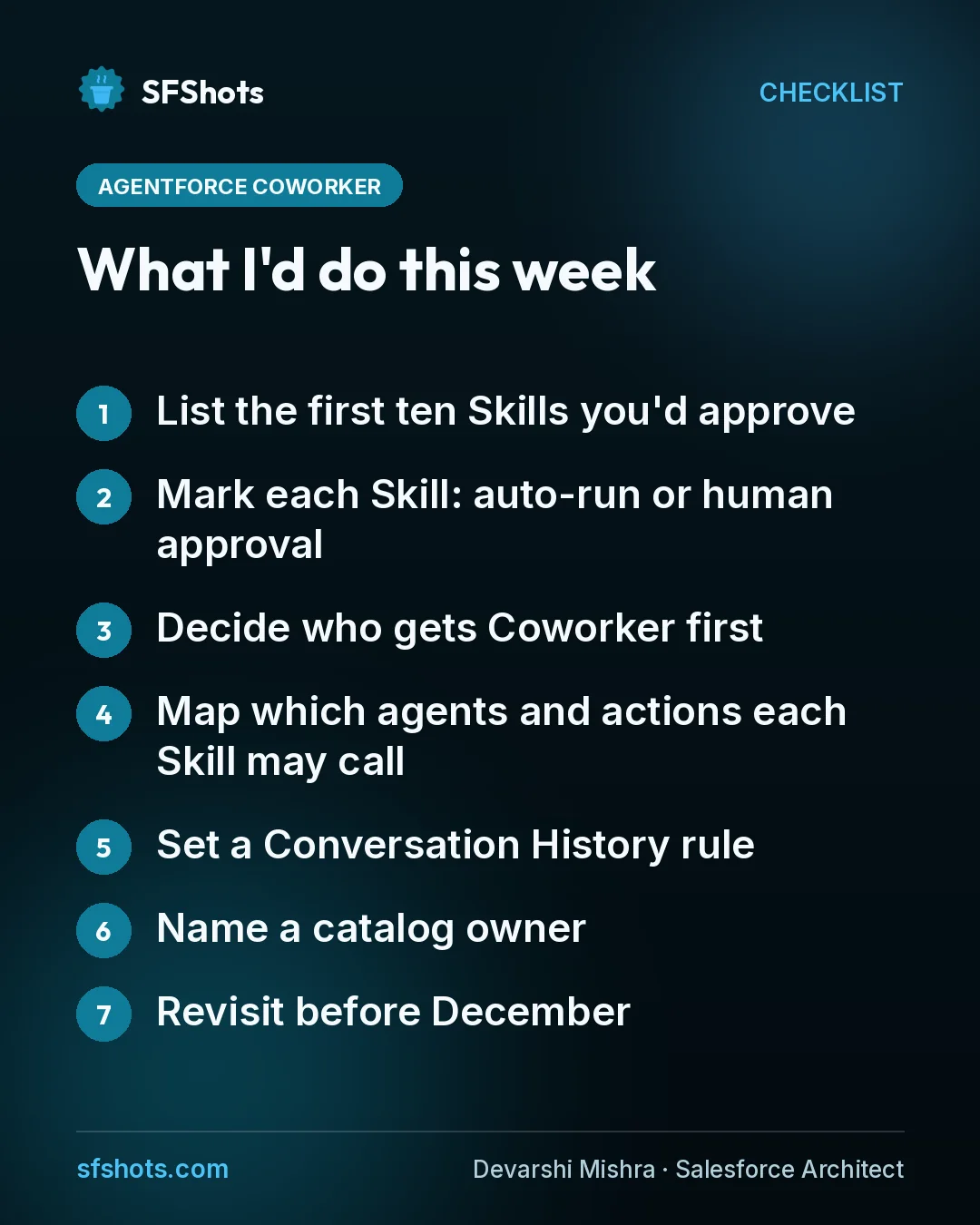
What I'd do this week
- List the first ten Skills you'd approve. Start from jobs people already do well.
- Mark each Skill: auto-run or human approval. Name the approver role.
- Decide who gets Coworker first. Pilot group, not the whole org.
- Map which agents and actions each Skill may call. Turn off the rest for that group.
- Set a Conversation History rule. Retention, who can view, Workspace/M365 on or off.
- Name a catalog owner. Approves Skills, retires them, reads the audit trail.
- Revisit before December. Scheduled tasks and Daily Digest change the volume of work Coworker starts without someone typing.
The takeaway
For CRM and RevOps teams, Coworker at 185k users isn't a curiosity metric — it's a signal that delegation is moving into Teams, mobile and desktop this month. The product already assumes Salesforce permissions and sharing rules. What it doesn't invent for you is a Skills catalog, an approval map, or an owner. Write those before every employee can hand Coworker a job from chat. That's an afternoon's work now, and a much harder cleanup once informal Skills become how the team actually works.