

Salesforce Spring '27 release updates start enforcing on 30 November. Triage them by date and blast radius
Salesforce Ben counts 16 release updates due before, during or after Spring '27, and the first one, the OAuth 2.0 device flow restriction, is enforced on 30 November 2026, ahead of the January release. Here's how I'd sort them by deadline and by what breaks, starting with the integration logins.
On Friday, 6 November, Salesforce Ben published a two-part guide by Tom Bassett on preparing for the Spring '27 release. The headline number: 16 release updates due to be enforced before, as part of, or after Spring '27, which arrives in January 2027. The detail that matters more: some of them don't wait for January. The first one, restricting the OAuth 2.0 device flow, is enforced on 30 November 2026. Two more land on 1 December.
That's the news. The decision is the order you work them in. I'd sort by two things: the enforcement date, and how much breaks if you miss it. Integration logins come first on both counts.
What's actually on the list
Salesforce Ben notes that enforcing updates before the release window is unusual; the early ones relate to security. Here's the list, grouped by date.
Before the release (30 November and 1 December 2026):
- OAuth 2.0 device flow, 30 November. Per Salesforce Help, after enforcement the device flow only works in an external client app that is set to Local, has the callback URL https://localhost, and has no other OAuth flows enabled. Every connected app with the device flow enabled is non-compliant. It's meant for limited-input devices like smart TVs.
- SOAP login() needs a permission, 1 December. Users who authenticate through SOAP login() must hold the Use Any API Auth user permission, or they can't log in that way.
- Email verification exception, 1 December. If Salesforce Support once turned off email verification for your org, the email domain allowlist stops working and you move to Authorized Email Domains. Salesforce Ben's tip: if this update doesn't appear in your Release Updates page, you're not affected.
With Spring '27 (January 2027): Salesforce to Salesforce is retired. Salesforce Connect's cross-org adapter loses legacy password and OAuth authentication, so you move to Named Credentials. Aura action responses stop returning non-public fields. Some sharing recalculations after group or role changes run asynchronously. Platform Event triggers roll back on unhandled exceptions. Setup Audit Trail gets its own permission. Guest users get separate personal-information masking. Visualforce PDFs move to a tagged, accessible renderer. Plus high-zoom accessibility changes and a B2B Commerce usage-type change.
After the release (20 February 2027): the OAuth username-password flow retirement for connected apps, which Salesforce moved to this date, and the retirement of the user-agent and hybrid user-agent flows. Salesforce Ben points to the web server flow with PKCE as the replacement.
Why integration logins go first
Three of the earliest deadlines are about how systems log in. The failure mode is quiet. An integration that stops authenticating doesn't show a sales rep an error. It just stops syncing, and someone notices days later.
The investigation step is the same for most of them. Salesforce Ben's method is to check Login History: filter for the OAuthDevice subtype for the device flow, SOAP subtypes for login(), and the user-agent subtypes for the February change. Then match the Application column against your connected apps and external client apps.
There's a catch the guide calls out: Login History only goes back six months. A quarterly or annual job that hasn't run recently won't show up. I'd cross-check against whatever integration register you have, and if you don't have one, that's the real finding.
My own add: count the agent and AI tool connections your teams added this year as integrations too. If it logs in to Salesforce as a user or an app, it belongs in this review.
The ones that can't be undone
Most release updates have a Test Run you can switch off again. A few in this batch don't, and I'd flag them before anyone clicks:
- Guest personal-information masking. Salesforce Ben says it can't be disabled once enabled. Try it in a sandbox first, then test each Experience Cloud site as the guest user.
- B2B Commerce usage-type assignment. No test run. You can enforce it early, but that can't be reversed.
- Sharing recalculation. No test run either. Salesforce Ben describes mimicking it with the "Test asynchronous sharing recalculation in Apex tests" option in Sharing Settings. Salesforce Help says only some orgs are affected. The guide's criteria are large data volumes with heavy ownership skew, plus Apex or Flows that change group membership or roles and expect share records to exist straight away.
Two more are easy to underrate. The Setup Audit Trail change gives View Setup Audit Trail to anyone with View Setup and Configuration, a good moment to review who has that broad permission at all. And you can't inspect a managed package's configuration as a subscriber, so the guide says to ask each provider whether they're ready.
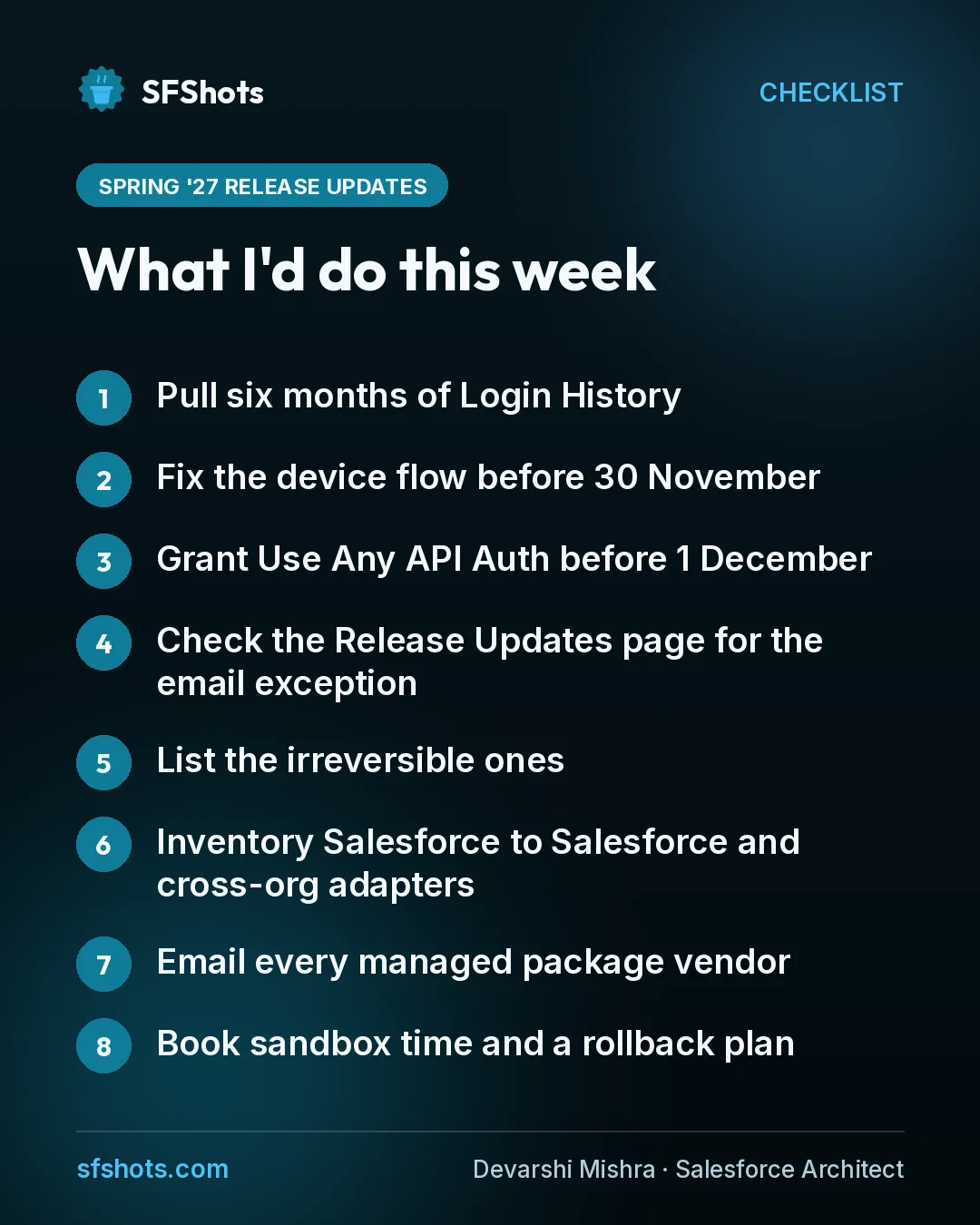
What I'd do this week
- Pull six months of Login History. Filter for OAuthDevice, SOAP and user-agent subtypes, then match each Application to a connected app or external client app.
- Fix the device flow before 30 November. Move each app that needs it to a local external client app with a localhost callback and no other flows. Ask vendors for compliant versions.
- Grant Use Any API Auth before 1 December. Use a permission set for the users and integrations that still need SOAP login(), and test with the Test Run on.
- Check the Release Updates page for the email exception. If it appears, set up Authorized Email Domains in every org that sends email.
- List the irreversible ones. Guest masking, Commerce usage types and the sharing change get a sandbox plan and a named owner before anyone touches production.
- Inventory Salesforce to Salesforce and cross-org adapters. Plan the replacement and the Named Credentials migration before January.
- Email every managed package vendor. Ask which of the 16 updates affect them and when their fix ships.
- Book sandbox time and a rollback plan. Test early in a sandbox, deploy outside working hours, and tell users where to report issues.
The takeaway
For CRM and RevOps teams, Spring '27 isn't one January event. It's a run of deadlines that starts on 30 November with how your integrations log in, and runs to 20 February 2027 for the username-password and user-agent OAuth flows. Each change is small. The risk is a missed one quietly breaking a sync, and the pipeline report is where you find out. Sort the 16 by date and by blast radius, start with Login History this week, and give the irreversible ones an owner before anyone switches them on. A few hours of triage now beats chasing missing data in December.
Sources
- Salesforce Ben: Salesforce Spring '27 Release: What to Expect and How to Prepare (Part 1) (Tom Bassett, 6 Nov 2026)
- Salesforce Ben: Salesforce Spring '27 Release: What to Expect and How to Prepare (Part 2) (Tom Bassett, 6 Nov 2026)
- Salesforce Help: Security Change: OAuth 2.0 Device Flow Restrictions by November 30, 2026 (KA 005461280)
- Salesforce Help: Update Apex Code and Flows for Changed Sharing Recalculation Behavior (Release Update)
- SF Updates: Salesforce Release Update enforcement dates and countdown