

Salesforce Metadata Grounding MCP is in beta. Make your coding agents check the org before they build
Salesforce's new Metadata Grounding MCP Server (Beta) lets coding agents search your org's metadata by plain-English intent across 70+ types, so they can find what exists before writing something new. Here's what I'd decide first: where it runs, whose access it uses, and the "check the org first" rule your agents follow.
On Thursday, 5 November, the Salesforce Developers Blog introduced the Metadata Grounding MCP Server, now in beta. It lets a coding agent such as Claude Code, Cursor or ChatGPT search your org's metadata by what something does, not by its name. Ask for "code that loads a restaurant menu and its categories" and it can find the Apex class behind it, even if that class was never retrieved into your project.
That's the news. The decision is what your agents must check before they build, and whose eyes they check with. I'd make both calls before anyone activates it.
What Salesforce shipped
The post, by Gonzalo Gambino, describes three read-only tools:
- describe_metadata lists the metadata types in your org and their schema.
- search_metadata finds metadata by plain-English intent, with optional type filters.
- query_metadata returns the full record for a result.
It covers more than 70 metadata types, including objects, fields, Lightning web components, Apex classes, flows and permission sets. Behind it sits Salesforce Catalog, powered by Data 360, which indexes your metadata with a mix of meaning-based and keyword search.
A few details matter for planning:
- It runs as the authenticated user and returns only the metadata that user may access.
- It returns metadata, not source code. To read or edit code, the agent still retrieves that one item with the Salesforce CLI or the Metadata API.
- Catalog picks up changes to supported types incrementally, plus a full refresh every 24 hours. So results can lag a deployment you just made.
- Usage, including the underlying Data 360 consumption, is metered in production and unmetered in sandboxes and Developer Edition orgs.
- You need a Data 360-supported edition with Data 360 provisioned, Catalog switched on in Data Cloud Setup Feature Manager, and an admin to activate the server. Scratch orgs aren't supported.
Why this matters more than it looks
Mature orgs often carry the same quiet problem: two versions of the same thing. Two Apex classes that calculate a discount. A component someone rebuilt because they couldn't find the first one. A coding agent working only from a local project makes that worse. It sees an empty folder and writes something new.
As the post puts it, without this "an agent can write correct Apex against the wrong object." Grounding gives the agent a way to look first. In the post's second example, the agent finds an existing class with an invocable "Summarize Reviews" method and extends it instead of writing a new query.
That only helps if the agent is told to look, and if what it finds is described well enough to match.
The three decisions I'd make first
Whose access the agent searches with. Because it runs as the authenticated user, the search sees whatever the developer sees. A developer with admin rights gives the agent the whole org's metadata. Fine in a sandbox; a conscious decision in production, where usage is metered. The Headless 360 announcement says every hosted MCP call goes through an external client app with the mcp_api scope, and CRUD, FLS and sharing apply. Decide who gets that app, and in which orgs.
The "check the org first" rule. The post gives a project rule you can paste into your agent instructions: before writing code that references an object, field, component or Apex class, search the org, confirm it exists, and extend something similar instead of creating a new one. Salesforce also points to two skills in its public sf-skills repo that teach the agent this behaviour. I'd make the rule a team standard, like naming conventions.
What counts as proof. The post is honest about limits. Search finds candidates; query confirms them. The type list is broad but not complete, so a search is not an inventory. And recent deployments can take time to appear. So "the agent didn't find it" doesn't mean "it doesn't exist." Code review still needs a human who knows the org.
Your descriptions are now search data
The post notes that one component in the demo had no description, so the ranking relied on its name and properties. Its conclusion: "The richer the descriptions in your org, the better the search gets."
The Description field on Apex classes, flows and fields has long felt like optional busywork. With grounding, it helps an agent decide your code is the right code to reuse. Salesforce says AI-generated metadata descriptions and a Metadata Graph for dependency analysis are coming next. Until then, a one-line human description of what a flow does is the cheapest fix you have.
The same capability is also reachable through the Headless 360 MCP Server, which can also act on your org. The post warns that prompts or tests built around the three standalone tool names won't carry over unchanged. If you start with the standalone server, write your rule in terms of the outcome, not the tool name.
What I'd do this week
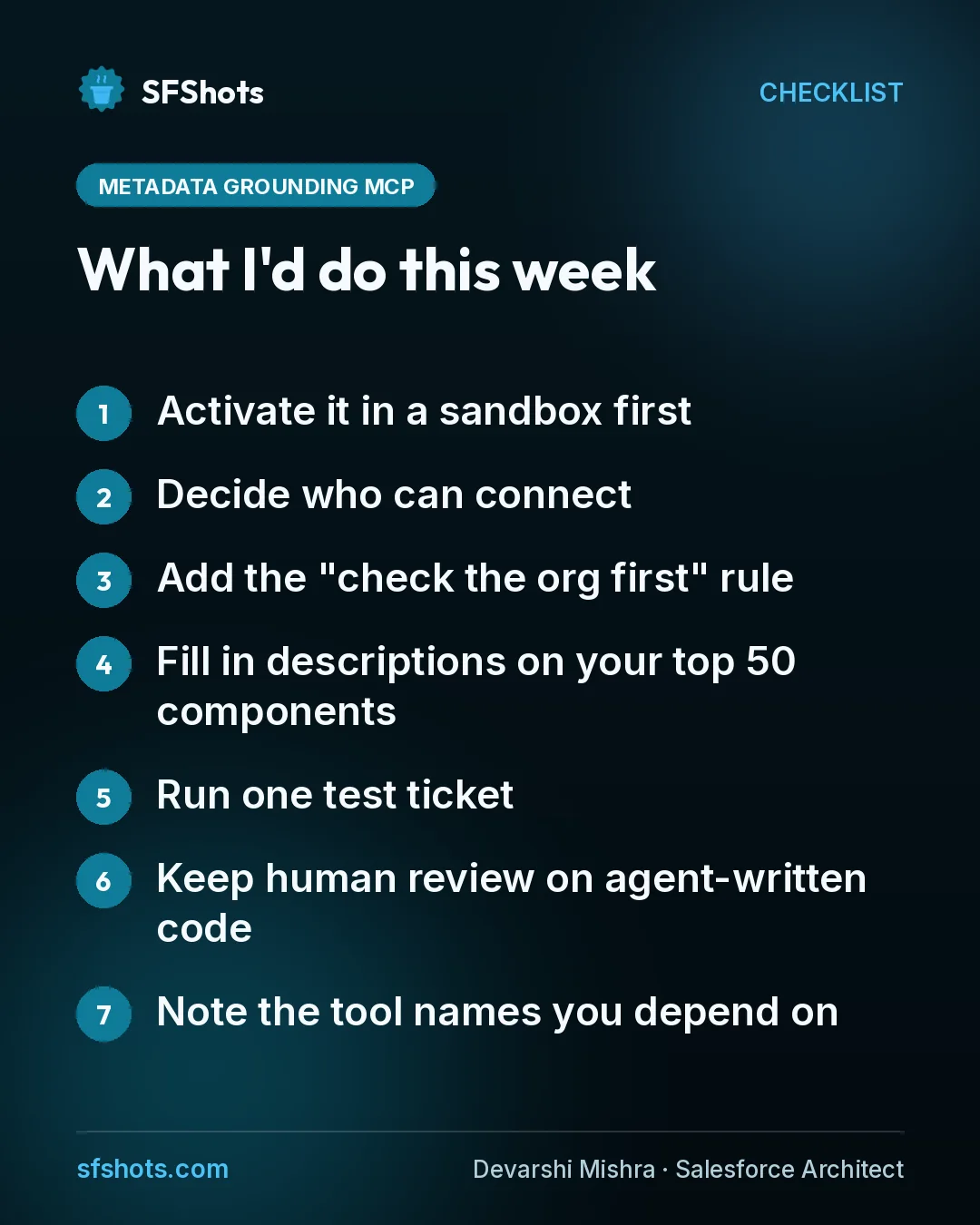
- Activate it in a sandbox first. Salesforce suggests a sandbox or developer org, and usage there isn't metered. Check that Catalog is on and has synced.
- Decide who can connect. Name the users and the external client app, and keep production access as a separate decision.
- Add the "check the org first" rule. Put it in your team's agent instructions, or install the two sf-skills.
- Fill in descriptions on your top 50 components. Start with the Apex classes, flows and LWCs people most often rebuild.
- Run one test ticket. Give the agent a feature you suspect already exists and see whether it finds it.
- Keep human review on agent-written code. Treat search results as candidates, and remember results can lag a fresh deploy.
- Note the tool names you depend on. Plan for the Headless 360 MCP Server, which becomes the Salesforce MCP Server at GA.
The takeaway
For CRM and RevOps teams, the risk with AI coding agents was never only bad code. It was duplicate code: a second discount rule, a second lead-routing flow, quietly disagreeing with the first. Metadata Grounding gives agents a way to see what you already have. It works only if you tell them to look, decide whose access they look with, and describe your org well enough to be found. Start in a sandbox this week, write the rule, and fix the descriptions on the components that matter most to your pipeline.
Sources
- Salesforce Developers Blog: Metadata Grounding: Let Your Coding Agent Search Your Org by Intent (Gonzalo Gambino, 5 Nov 2026)
- Salesforce Developers: MCP Solutions for Headless Development (which MCP server to use)
- Salesforce Developers Blog: Announcing the Headless 360 MCP Server Beta (Tyson Read, 14 Jul 2026)